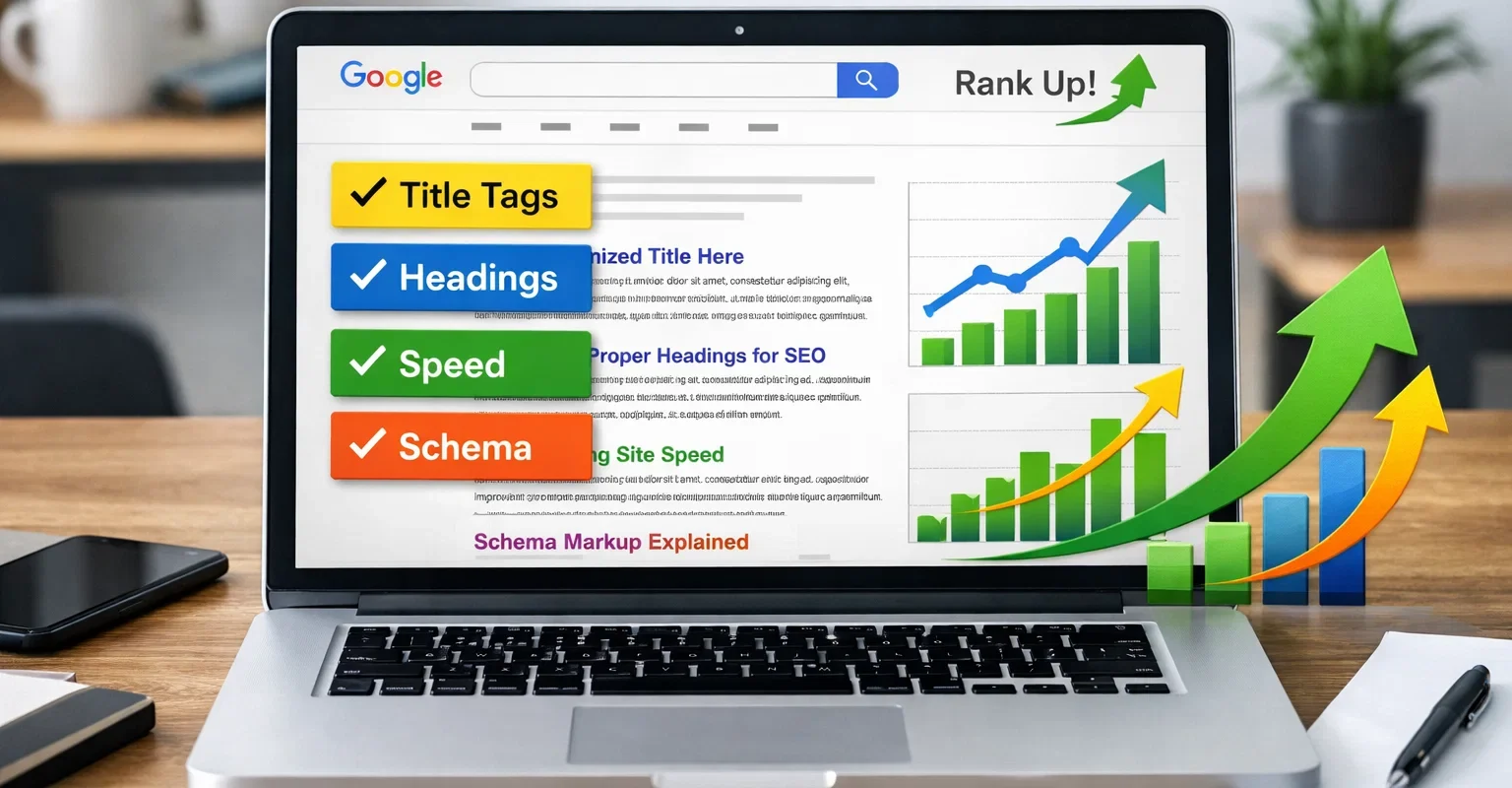
On-page SEO refers to every optimization you make directly on a webpage to help Google understand what it is about and rank it higher in search results. A complete on-page SEO checklist covers your title tag, meta description, headings, content, keyword placement, internal links, image optimisation, page speed, URL structure, schema markup, and mobile performance. Get every one of these right and your pages give Google every signal they need to rank.
Key Takeaways
-
 On-page SEO is the foundation every other SEO effort builds on. Off-page work is wasted if your pages are not properly optimised.
-
Title tags and H1 headings are the two highest-impact on-page elements for keyword relevance signals.
-
Content quality and depth matter more than keyword density. Google ranks pages that best answer the searcher’s question.
-
Core Web Vitals and page speed are confirmed Google ranking factors and directly affect both rankings and user experience.
-
Internal linking distributes page authority across your site and helps Google discover and index your content correctly.
-
Schema markup gives Google additional structured data that can produce rich results in search and improve click-through rates.
Why On-Page SEO Still Matters
Some people assume that SEO has become so sophisticated that the basics no longer matter as much. The opposite is true. Google processes over 8.5 billion searches per day and relies on on-page signals to understand what each page is about and whether it deserves to rank for a given query.
Without proper on-page optimization, your content may never rank regardless of how many backlinks you build or how active your Google Business Profile is. On-page SEO is the foundation that everything else sits on. A page with weak on-page signals sends Google unclear messages and gets treated accordingly.
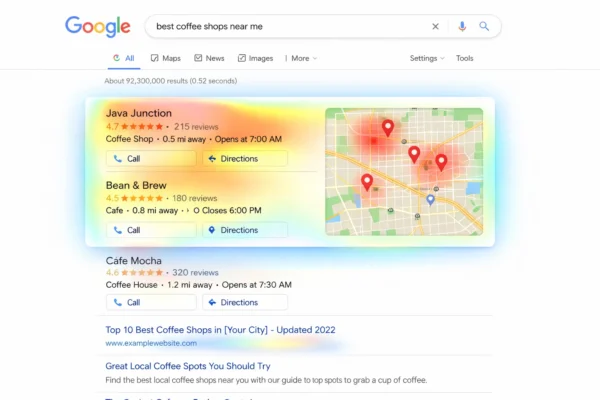
For Canadian businesses specifically, on-page SEO also needs to reflect local signals: province names, city mentions, Canadian spelling, and local schema markup that tells Google exactly where your business operates. This checklist covers both the universal on-page factors and the Canadian-specific ones.
Section 1: Title Tag Optimisation
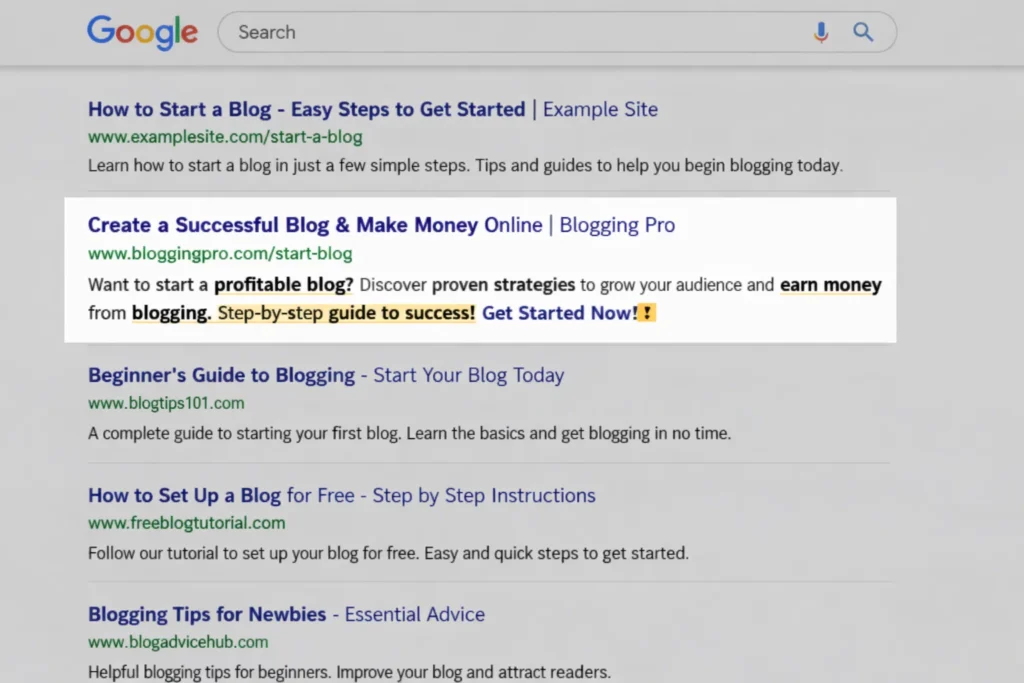
The title tag is the clickable blue headline that appears in Google search results. It is one of the strongest on-page ranking signals Google uses and the first thing a searcher reads before deciding whether to click.
Title Tag Checklist
- Include your primary keyword as close to the beginning of the title as possible. Front-loaded keywords carry more weight.
- Keep it between 50 and 60 characters. Titles longer than 60 characters get truncated in search results, cutting off your message.
- Write for the human first, then for Google. A title that reads naturally gets more clicks. More clicks signal relevance to Google.
- Include your location for local pages. “Plumbing Services in Hamilton, Ontario” outperforms “Plumbing Services” for local searches.
- Every page needs a unique title tag. Duplicate title tags confuse Google and dilute your ranking signals.
- Avoid keyword stuffing. A title like “Best SEO SEO Services SEO Canada” reads as spam and Google treats it that way.
- Include your brand name at the end of important pages. Format: Primary Keyword in City | Brand Name.
Common mistake: Writing the same title tag across multiple service pages with only the service name changed. Each page needs a title that reflects its specific content and search intent.
Section 2: Meta Description
The meta description is the short summary that appears below your title tag in search results. Google has confirmed it is not a direct ranking factor, but it heavily influences click-through rate, and a higher click-through rate sends positive signals that do affect rankings.
Meta Description Checklist
- Keep it between 140 and 155 characters. Longer descriptions get cut off mid-sentence in search results.
- Include your primary keyword naturally. Google bolds matching keywords in the description, which draws the searcher’s eye.
- Include a clear call to action. Phrases like “Get a free quote,” “Book your consultation,” or “See how we can help” drive clicks.
- Make it specific to that page. A meta description that matches what the page actually delivers reduces bounce rate.
- Never duplicate meta descriptions across pages. Every page needs its own unique description.
- For local pages, mention the city or province. It tells the searcher immediately that this result is relevant to their location.
Worth knowing: Google rewrites meta descriptions roughly 63% of the time according to a study by Portent. Writing a strong, specific description increases the chance Google uses yours rather than pulling a random sentence from your page.
Not sure if your title tags and meta descriptions are optimised correctly?
SEO Service Canada audits every on-page element for Canadian business websites and tells you exactly what needs fixing. Start with a free audit.
Get Your Free On-Page SEO Audit
Section 3: Heading Structure (H1, H2, H3)
Headings tell Google how your page is organised and which topics it covers. They are not just for readability. They are a core part of how Google understands your content’s relevance to a search query.
Heading Checklist
- Use exactly one H1 per page. The H1 is the main heading and should include your primary keyword. Multiple H1s send mixed signals to Google.
- Your H1 and title tag should be related but do not need to be identical. The H1 speaks to the reader on the page. The title tag speaks to the searcher in Google results.
- Use H2s for main sections and include secondary or related keywords naturally within them.
- Use H3s for sub-sections within H2s. A logical heading hierarchy helps both Google and readers navigate your content.
- Don’t skip heading levels. Going from H2 to H4 without an H3 breaks the document structure Google expects.
- Include location in at least one heading on local service pages. This reinforces geographic relevance to Google.
- Headings should describe what follows, not act as decorative labels. Every heading is a signal to Google about what that section covers.
Section 4: Keyword Placement and Content Optimisation
Where and how you use keywords on a page matters just as much as which keywords you target. Google’s algorithm is sophisticated enough to identify keyword stuffing and penalise it, while also rewarding pages that cover a topic comprehensively and naturally.
Keyword Placement Checklist
- Primary keyword in the first 100 words. Google places more weight on keywords that appear early in the content.
- Primary keyword in the H1 and at least one H2.
- Use variations and synonyms throughout. Google understands semantic relationships. “Local SEO,” “local search optimisation,” and “ranking in local search” all reinforce the same topic.
- Keep keyword density under 2%. Anything higher reads unnaturally and can trigger over-optimisation penalties.
- Use LSI keywords naturally throughout the body content. For a plumbing page, LSI terms include pipe repair, drain cleaning, water heater, and licensed plumber.
- Never force keywords into sentences where they do not fit. Read your content aloud. If it sounds awkward, rewrite it.
Content Quality Checklist
- Answer the search intent directly, not just eventually. A person searching for an “on-page SEO checklist” wants a checklist, not a 500-word preamble before the checklist starts.
- Aim for comprehensive coverage. Pages that cover a topic more thoroughly than competing pages consistently outrank thinner content. For most service pages, 800 to 1,500 words is the right range. For guides like this one, 1,500 to 3,000 words is appropriate.
- Use short paragraphs. Two to four sentences per paragraph maximum. White space improves readability, and Google’s quality evaluators read pages the same way humans do.
- Use bullet points and numbered lists for items that naturally belong in a list. This improves scannability and is eligible for featured snippet placement.
- Update content regularly. Google favours fresh, accurate content. A page last updated three years ago signals neglect.
- Cite sources for statistics and claims. This signals credibility to both Google’s E-E-A-T framework and to readers evaluating your authority.
Section 5: URL Structure
Your URL is a small but meaningful on-page signal. Google reads URLs to understand what a page is about, and a clean, logical URL structure improves both rankings and click-through rates.
URL Checklist
- Include your primary keyword in the URL. A URL like /on-page-seo-checklist/ is better than /blog/post-47/.
- Keep URLs short and descriptive. The shorter the URL, the easier it is to share, read, and understand. Remove stop words like “and,” “the,” and “for” where possible.
- Use hyphens to separate words, never underscores. Google treats hyphens as word separators. Underscores join words into one.
- Use lowercase letters only. Uppercase letters in URLs can create duplicate content issues on some servers.
- Avoid dynamic parameters where possible. URLs like /page?id=123&cat=5 are harder for Google to process than clean static URLs.
- Match the URL to the page content. A URL that promises one thing and delivers another creates a trust gap that hurts both rankings and user behaviour.
Section 6: Image Optimisation
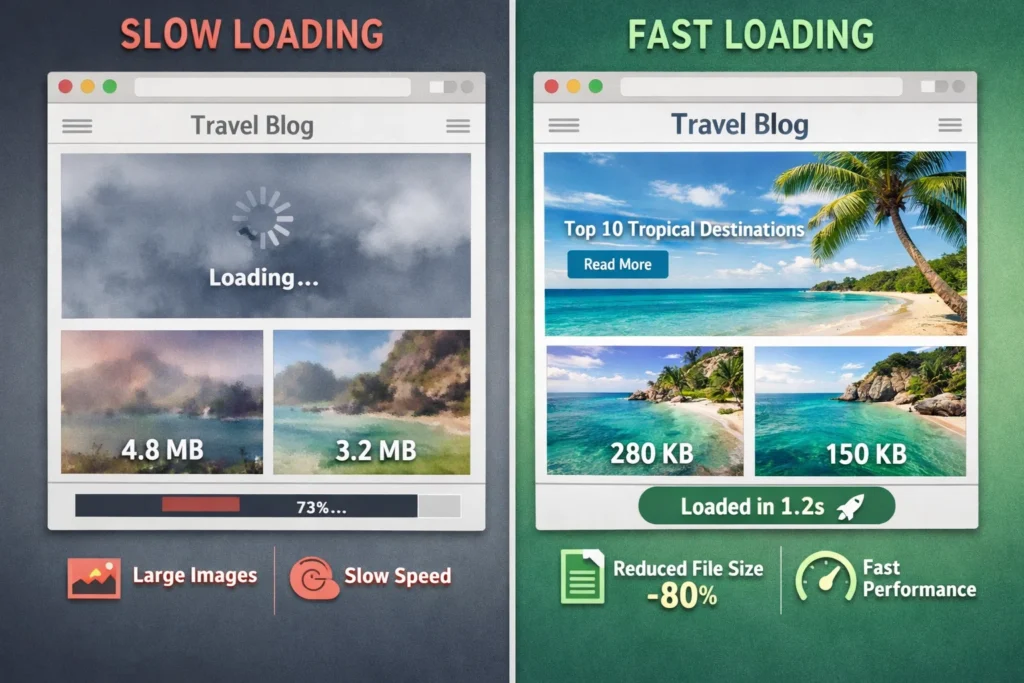
Images are often the most overlooked on-page element. An unoptimised image file can slow down your page significantly, and missing alt text means Google cannot understand what the image shows. Both hurt your rankings.
Image Optimisation Checklist
- Compress every image before uploading. Large image files are one of the most common causes of slow page load times. Use WebP format where possible. A tool like Squoosh or ShortPixel can reduce file size by 60 to 80% without visible quality loss.
- Write descriptive alt text for every image. Alt text is what Google reads to understand the image. It also improves accessibility for visually impaired users. Include your keyword naturally where it fits. “plumber-fixing-pipe-hamilton-ontario.jpg” and alt text “licensed plumber fixing a burst pipe in Hamilton Ontario” both reinforce your local and topical relevance.
- Name image files descriptively before uploading. Rename files like IMG_4872.jpg to something that describes what is in the image.
- Use responsive images so they scale correctly on mobile devices. A full-width desktop image that does not resize breaks the mobile experience and hurts your Core Web Vitals scores.
- Add captions where appropriate. Google indexes image captions. They also keep readers engaged on longer pages.
Is your website losing rankings because of slow images or missing alt text?
SEO Service Canada identifies and fixes on-page issues that are quietly holding your Canadian business website back from ranking where it should be.
Message SEO Service Canada on WhatsApp
Section 7: Internal Linking
Internal linking is one of the most underused on-page SEO tactics. It distributes page authority across your site, helps Google discover and index new content, and keeps visitors engaged longer by guiding them to related pages.
Internal Linking Checklist
- Link to relevant pages naturally within your content. If you mention a related service or topic, link to the page that covers it in depth.
- Use descriptive anchor text. Never use “click here” or “read more.” Use anchor text that describes the destination page, like “our local SEO services in Toronto” or “our complete technical SEO audit process.”
- Link from high-authority pages to newer or lower-authority pages to pass ranking strength through your site.
- Check for orphan pages regularly. An orphan page has no internal links pointing to it. Google rarely crawls or ranks pages it cannot reach through your site’s link structure.
- Keep your navigation logical. Your main navigation and footer links are internal links too. Make sure your most important pages are reachable within two clicks from your homepage.
- Avoid overlinking. Three to five internal links per 1,000 words is a reasonable target. Excessive internal links dilute the value passed through each one.
Section 8: Page Speed and Core Web Vitals
In 2021, Google confirmed Core Web Vitals as an official ranking factor. These are specific page speed and user experience metrics that Google measures on every page. A slow page does not just frustrate visitors. It actively costs you rankings.
Core Web Vitals Explained
- Largest Contentful Paint (LCP): Measures how long it takes for the main content of a page to load. Google’s target is under 2.5 seconds. Anything above 4 seconds is flagged as poor.
- Interaction to Next Paint (INP): Measures how quickly a page responds when a user interacts with it. Target is under 200 milliseconds.
- Cumulative Layout Shift (CLS): Measures how much the page layout shifts as it loads. A score below 0.1 is good. Above 0.25 is poor and means elements are jumping around as the page renders, a frustrating experience that Google penalises.
Page Speed Checklist
- Run your page through Google PageSpeed Insights. It gives you specific, actionable recommendations for each issue it finds.
- Enable browser caching. This stores static assets locally in the visitor’s browser so repeat visits load faster.
- Minify CSS, JavaScript, and HTML. Remove unnecessary whitespace and comments from your code files to reduce their size.
- Use a content delivery network (CDN). A CDN serves your content from servers geographically close to your visitor, reducing load time. For Canadian businesses, a CDN with Canadian server nodes is ideal.
- Eliminate render-blocking resources. JavaScript and CSS files that load before the page content delay everything visible to the user. Load them asynchronously or defer non-critical scripts.
- Check your hosting quality. Cheap shared hosting is one of the most common causes of slow page speed for small business websites. Server response time (TTFB) should be under 200 milliseconds.
Section 9: Mobile Optimisation
Google uses mobile-first indexing, which means it crawls and indexes the mobile version of your website first. If your mobile experience is poor, your rankings suffer across all devices, not just on phones.
Mobile Optimisation Checklist
- Use a responsive design that adapts automatically to any screen size. Test your site on multiple device sizes, not just one phone model.
- Check tap target sizes. Buttons and links need to be large enough to tap accurately on a touchscreen. Google recommends a minimum size of 48 by 48 pixels with adequate spacing between targets.
- Ensure text is readable without zooming. A base font size of 16px is the minimum for comfortable mobile reading.
- Remove intrusive interstitials. Pop-ups that cover most of the screen on mobile are a confirmed Google ranking signal. Google reduces rankings for pages with obtrusive mobile pop-ups.
- Test with Google’s Mobile-Friendly Test tool. It gives a pass or fail verdict and identifies specific issues on your pages.
- Check that all content loads on mobile. Content hidden behind tabs or accordions on mobile is still indexed by Google, but verify that your most important content is accessible and visible.
Section 10: Schema Markup
Schema markup is structured data code added to your pages that helps Google understand your content more precisely. It does not directly boost rankings but it enables rich results in search, including star ratings, FAQ dropdowns, business hours, and review counts, that significantly improve click-through rates.
Schema Markup Checklist
- Add LocalBusiness schema to every location or service area page. Include your business name, address, phone number, hours, and service area. This is especially important for local SEO in Canada.
- Add FAQ schema to pages with a frequently asked questions section. This enables your FAQs to appear directly in Google results as expandable dropdowns, giving you more search real estate.
- Add Review schema if your site collects and displays customer reviews. This can show star ratings directly in search results.
- Add BreadcrumbList schema to show your site’s navigation hierarchy in search results. This helps users understand where a page sits within your site before clicking.
- Validate your schema using Google’s Rich Results Test tool. Incorrect schema code provides no benefit and can cause errors in Search Console.
- Do not mark up content that is not visible on the page. Google’s guidelines are clear: schema must describe content the user can actually see.
Want SEO Service Canada to handle your on-page optimisation from start to finish?
We go through every item on this checklist for Canadian business websites and implement the fixes properly. No guesswork, no template work. Just thorough on-page SEO executed by people who understand the Canadian search landscape.
Start My Free On-Page SEO Audit
Contact SEO Service Canada on WhatsApp
Section 11: E-E-A-T Signals (Experience, Expertise, Authoritativeness, Trust)
E-E-A-T is Google’s framework for evaluating the quality and credibility of web content. It stands for Experience, Expertise, Authoritativeness, and Trustworthiness. It is not a single ranking factor but a collection of signals that Google’s quality evaluators and algorithm use to assess whether a page deserves to rank.
E-E-A-T Checklist
- Add an author bio to blog posts and articles that identifies who wrote the content and what qualifies them to write about it.
- Display credentials and certifications prominently on service pages. A licensed plumber, a certified accountant, or an accredited contractor should show that proof clearly on their website.
- Cite authoritative sources for any statistics or factual claims. Linking to government data, industry research, or well-known publications signals that your content is grounded in verified information.
- Include genuine testimonials and case studies where possible. First-hand evidence of results builds trust with both Google and readers.
- Maintain an About page that clearly describes who runs the business, how long it has been operating, and what qualifications or experience are behind the service.
- Keep your contact information visible and accurate. A business that hides its phone number and address looks untrustworthy to both Google and potential customers.
- Secure your site with HTTPS. Google confirmed HTTPS as a ranking signal. An HTTP site in 2025 not only lacks this signal but also triggers browser warnings that drive visitors away.
Section 12: Canadian-Specific On-Page SEO Considerations
On-page SEO for Canadian businesses has a few additional layers that generic SEO guides typically ignore. Getting these right strengthens your relevance for Canadian search queries and Google.ca rankings specifically.
Canadian On-Page SEO Checklist
- Use Canadian spelling throughout your content. Colour, behaviour, neighbour, centre, optimise. Google’s Canadian index picks up on these signals and they reinforce that your content is written for a Canadian audience.
- Include province names on relevant pages. A service page for a business in Burnaby should reference British Columbia. A page for a business in Markham should reference Ontario. Province mentions strengthen geographic relevance signals.
- Use a .ca domain or include strong Canadian signals on a .com domain if you are targeting the Canadian market. A .ca domain sends an unambiguous geographic signal to Google.
- Reference Canadian regulations or standards where relevant to your industry. A financial services business that references CRA guidelines, or a contractor that references provincial building codes, signals locally specific expertise.
- Mention both English and French for any pages targeting Quebec or bilingual audiences. Separate French-language pages with their own proper on-page optimisation are far more effective than bilingual mixed pages.
- Include Canadian currency and measurements where applicable. Dollar signs should be CAD where there is potential for ambiguity, and distances should be in kilometres.
The Complete On-Page SEO Checklist: Quick Reference
Title Tags and Meta
- Primary keyword in title tag, front-loaded, 50 to 60 characters, unique per page.
- Meta description 140 to 155 characters, includes keyword and call to action, unique per page.
Headings
- One H1 per page with primary keyword included.
- H2s for main sections, H3s for sub-sections, logical hierarchy throughout.
- Location mention in at least one heading on local pages.
Content
- Primary keyword in first 100 words.
- Keyword variations and LSI terms used naturally throughout.
- Keyword density under 2%.
- Comprehensive, specific content that fully answers the search query.
- Short paragraphs, bullet points where appropriate, no walls of text.
URLs
- Short, descriptive URL with primary keyword, hyphens between words, lowercase.
Images
- Compressed image files, WebP format preferred.
- Descriptive alt text on every image.
- Descriptive file names before uploading.
Internal Linking
- Three to five internal links per page with descriptive anchor text.
- No orphan pages.
Technical
- LCP under 2.5 seconds, INP under 200ms, CLS under 0.1.
- Mobile responsive, tap targets accessible, no intrusive pop-ups.
- HTTPS enabled.
Schema
- LocalBusiness schema on all local pages.
- FAQ schema on pages with FAQ sections.
- Validated with Google Rich Results Test.
E-E-A-T
- Author bios on content pages.
- Credentials and contact info visible.
- Sources cited for factual claims.
Canadian Specifics
- Canadian spelling throughout.
- Province name on location pages.
- .ca domain or strong Canadian signals.
Frequently Asked Questions
The Bottom Line: On-Page SEO Is Not a One-Time Task
Working through this checklist once is a good start. But on-page SEO is an ongoing process. Search intent evolves. Competitors update their pages. Google’s algorithm continues to refine what it considers high quality. Your pages need to keep pace.
For Canadian businesses, getting on-page SEO right is also the fastest way to improve the performance of every other SEO investment you make. Better link building works harder on well-optimised pages. Local citations drive more value to pages with proper schema markup. Google Business Profile traffic converts better when the landing page is properly set up.
If you would like SEO Service Canada to audit your website and go through every item on this checklist for your specific pages, the starting point is a free SEO audit. We identify exactly what needs fixing, explain why it matters, and build a clear plan to address it.